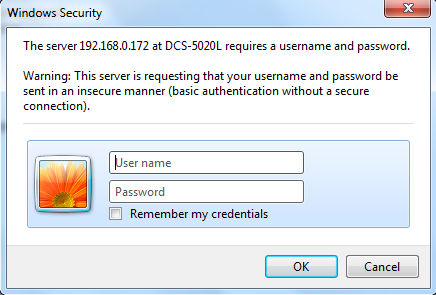
Step 1: Open a web browser and enter the IP address of the camera in the address bar (default is 192.168.0.20). Press Enter.
Step 2: The default username is admin and the password is blank (nothing). Click OK.
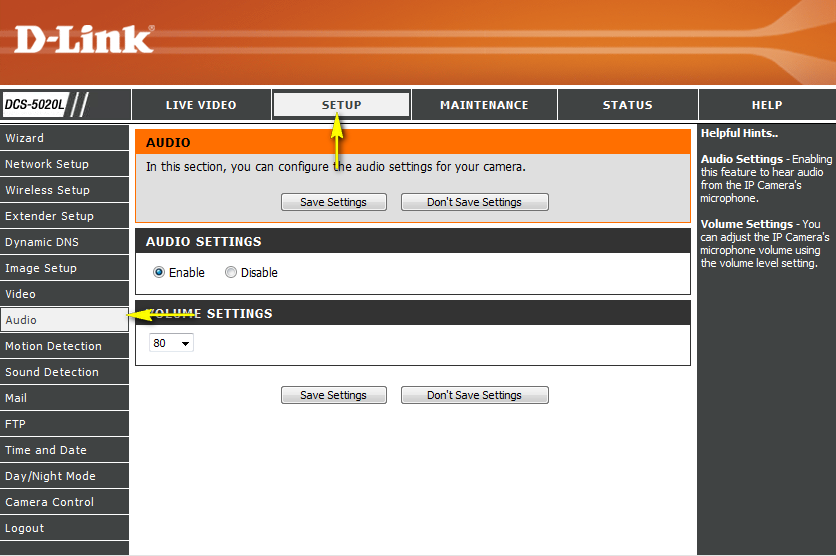
Step 3: Click the Setup tab and then click Audio to the left.
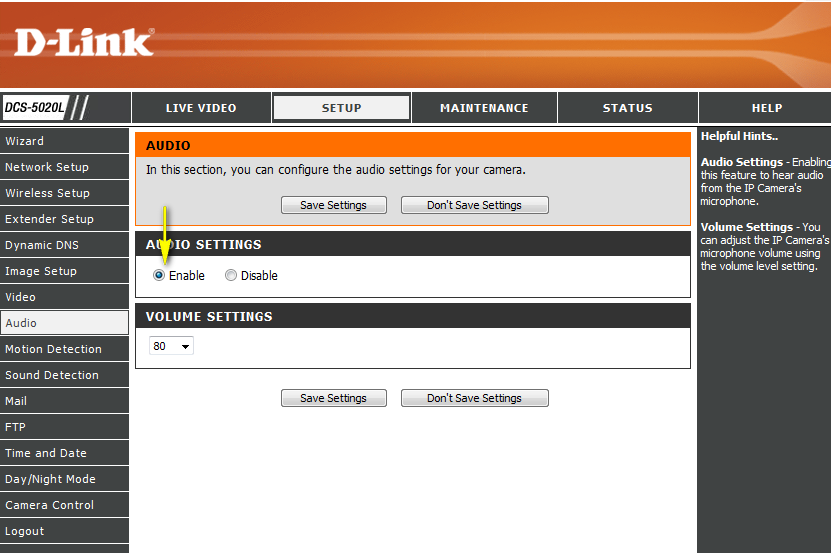
Step 4: Click Enable in the Audio Settings section.
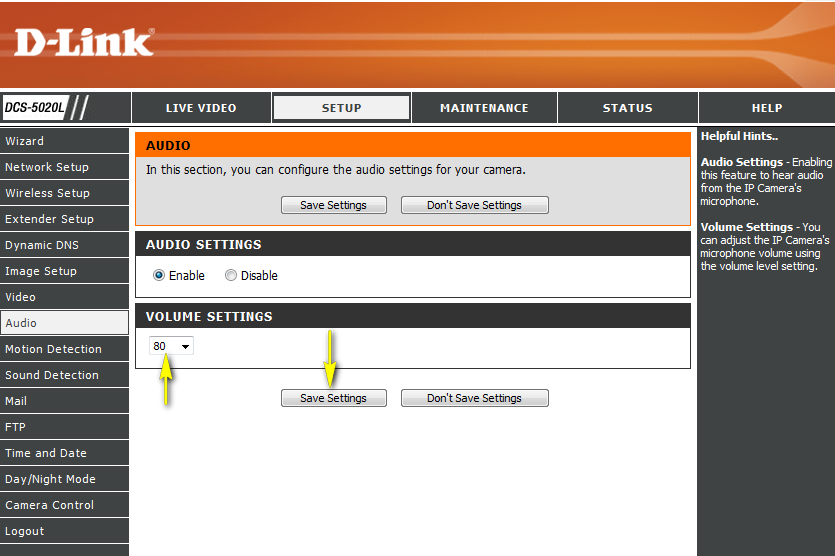
Step 5: Change the Volume Settings and click Save Settings to retain the changes.